Start with a playable example
Run Gap Run locally, change its rules and learn the callbacks that drive a game.
Lifecycle, touch input, audio and adaptive graphics for portrait web games.
Game developers: use portal-kit to own the runtime plumbing while you implement the game. Start with Getting started, then adapt the example and follow the game lifecycle.
Host developers: embed a game and exchange commands over a MessagePort, or implement the native bridge. Read Host integration and the complete host protocol.
The game requirements define supported environments, layout and gameplay constraints.
Tool developers: use @fah/protocol to validate manifests and @fah/conformance to check lifecycle implementations. See Game manifest and Testing.
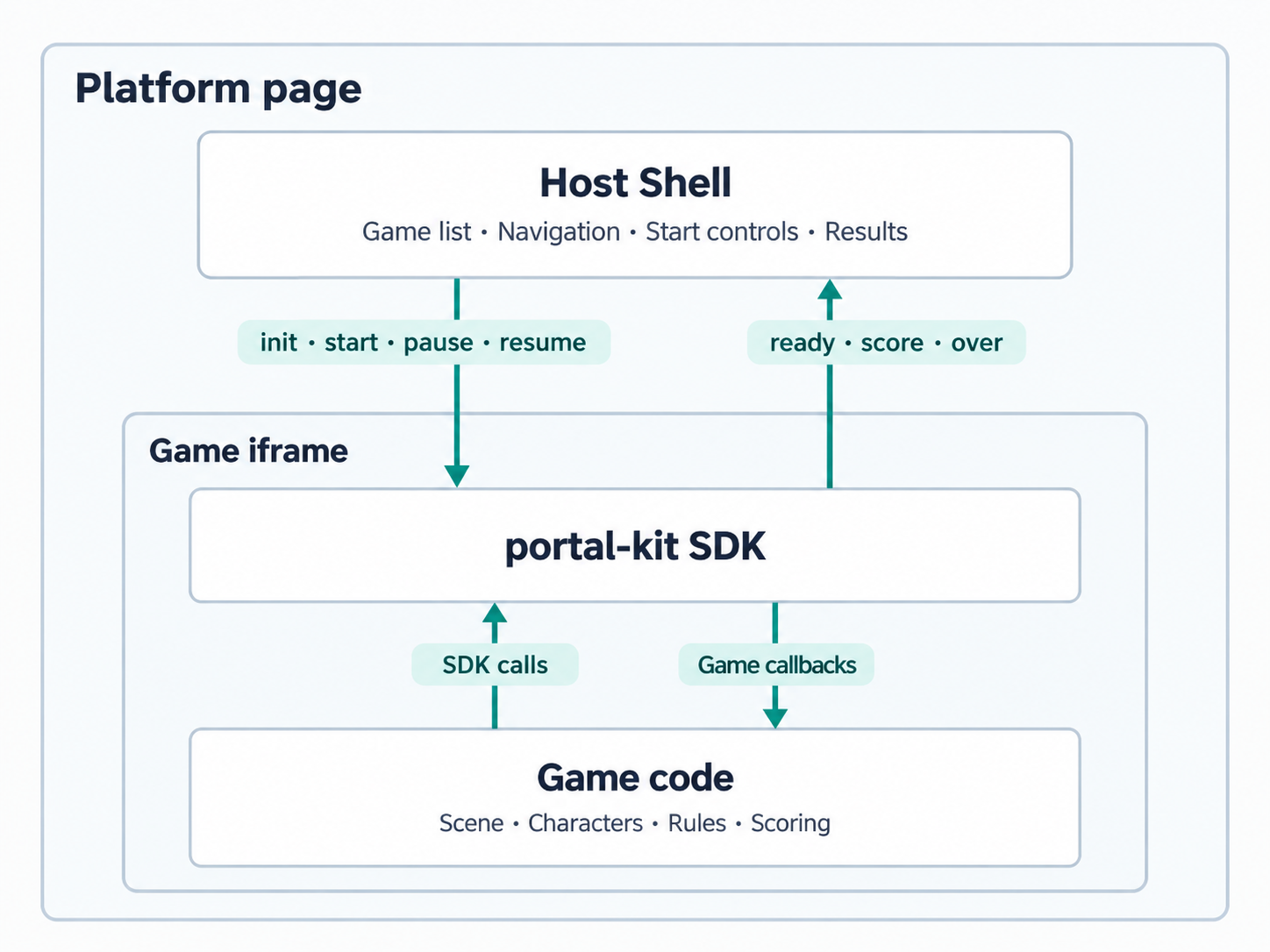
The game supplies its rules, scene and assets. The SDK supplies scheduling, pause handling, input sampling, HUD, audio routing, graphics sizing and host messages. The host supplies the surrounding player experience: start and result cards, navigation, safe-area insets and optional haptics.
Commands such as start and pause flow from the host to the SDK. Events such as ready, score and over flow back to the host. Game code calls SDK methods, and the SDK invokes the game's lifecycle callbacks.
The SDK does not include a backend, authentication, cloud saves, a game catalog service or a publishing pipeline. Best scores and small settings use local browser storage and remain optional for play.
Preview distribution
Packages are available as source builds and local tarballs to developers with repository access. They are not published to a public npm registry. See Packages and compatibility for installation, version pins and license status.